Use your location for a forecast
On this page
Use my location asks your browser where you are and opens the forecast for the nearest place. It is the quickest way to get the weather where you are standing, without typing a ZIP code.
#Use it
-
Open any Weather page. The button is the crosshair icon inside the search box, at the right. The Weather overview also has a Use my location button in its Get your forecast box.
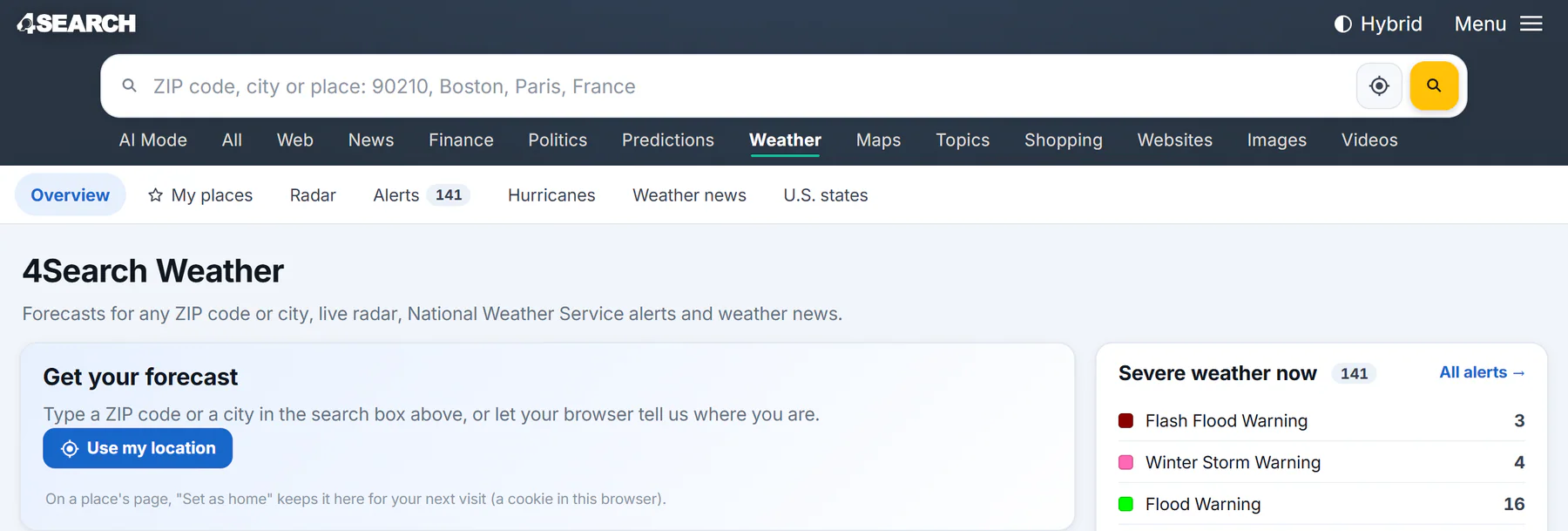
Two places to find it: the crosshair button inside the search box, and the Use my location button on the overview.
- 1Search for a place
- 2Use my location
- 3The Weather sections
- 4Where your own forecast appears
-
Select it. Your browser asks whether this site may know your location. Choose to allow it.
-
Weather opens the forecast for the nearest place. In the United States that is the nearest ZIP code. Elsewhere it is the nearest city or town.
The button appears only when your browser can give a location. If you do not see it, search for a place instead. See Find the weather for a place.
#If it does not work
- If you turn down the browser's question, Weather says Location access was not allowed. Search for your ZIP code or city instead. You can change the permission in your browser's site settings.
- If your browser cannot work out where you are, Weather says Your browser could not find your location. Try again, or search for a place.
- If no place is close enough, it says No place found near you.
- If the lookup fails, it says Your location could not be looked up just now. Wait a moment and try again.
#What happens to your location
The full radar map has its own My location button, a circle with a dot at the right edge of the map. It moves the map to where you are and zooms in. That stays in your browser. See Use the radar map.
#Weather near you without asking
If you have not set a home place, the Weather overview may open with weather near you, from the approximate location your network connection suggests. The box says so, for example "From your connection's approximate location", and the location is used for that page only. Search for a place and select Set as home to keep one.
#Common questions
Why does Weather open a ZIP code instead of my town?
In the United States, the forecast is for the nearest ZIP code to your position. Its page names the town the ZIP code belongs to.
Is my location saved?
No. It is used to find the nearest place and is not kept. Only a home place that you choose is remembered, and only in your browser. See Saved preferences.
Why is the place a little off?
Your browser's location can be approximate, especially on a computer without GPS. If the nearest place is not the one you want, search for it by name or use the Nearby list on the forecast page.
Does it work on a computer?
Yes, if your browser can find your location. The result may be less exact than on a phone.